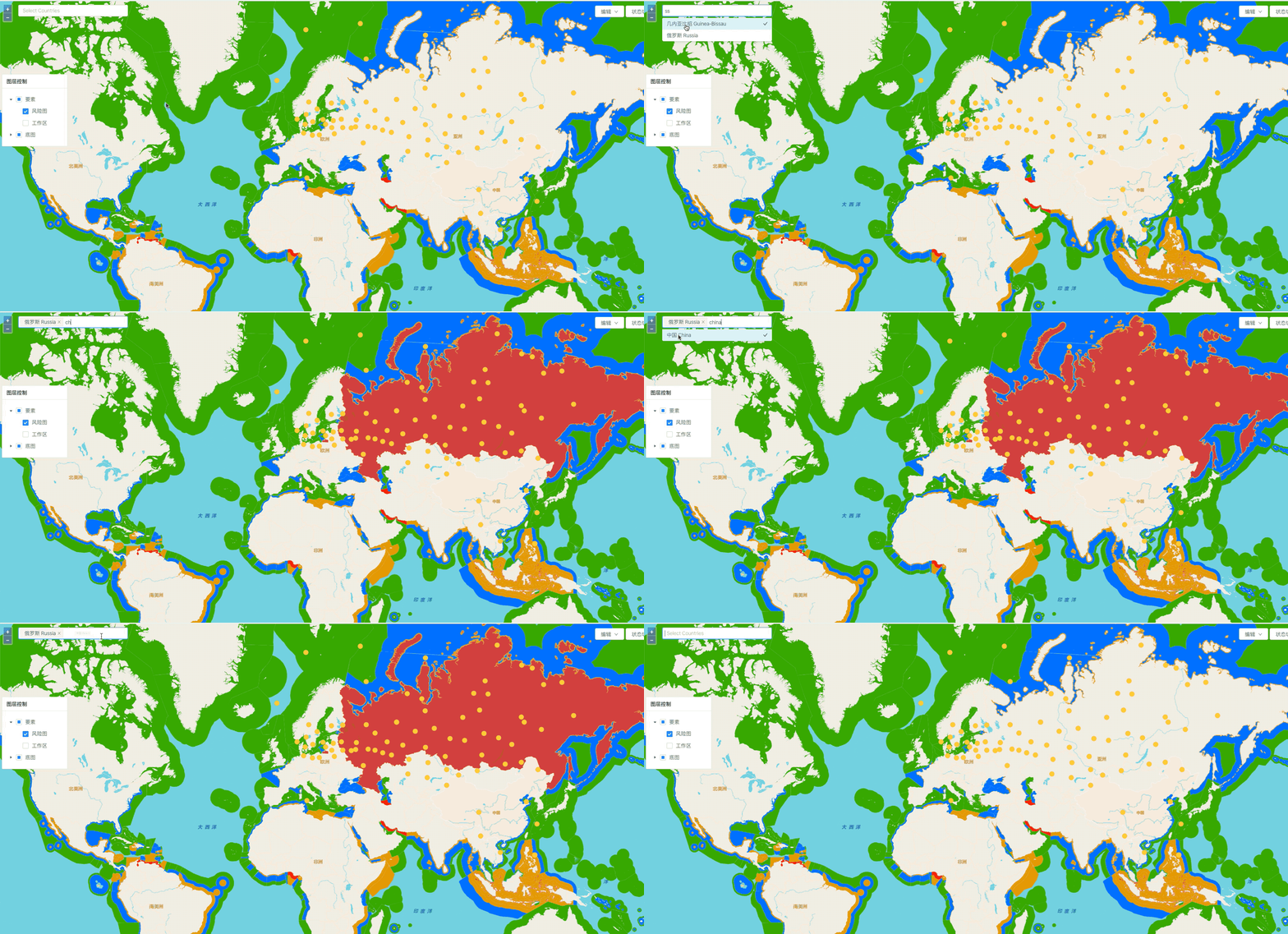
自己做的小Demo中有这样一个小需求:通过数据库检索,获取指定属性的要素,然后高亮显示。
如果采用WFS常规方式加载,不存在问题,遍历layer的feature source即可,不考虑效率,逻辑是没有问题的,但有个需求是图层feature非常多(因为是全球范围海岸线生成的缓冲区),所以地图加载的过程中使用了矢量瓦片的形式,矢量瓦片类型的source没有getFeatures()方法,给需要高亮显示的要素进行遍历造成了麻烦。
图层的静态样式使用openlayers最新例子的方式设置:
//颜色表const colorTable = {  "No": "rgba(200, 54, 54, 0)",  "type1": "#FF0000",  "type2": "#E69800",  ...  "": "#00FFFFFF",};export function createRiskLevelStyle(feature) {
const riskLevel = feature.get('props_X'); let selected = !!selection[feature.getId()]; return new Style({ fill: new Fill({ //color: colorTable[riskLevel], color: selected ? 'rgba(200,20,20,0.8)' : colorTable[riskLevel], //color: }), stroke: new Stroke({ color: '#FFFFFF', width: 0.1, }) })}其中selected用于鼠标点击的高亮显示,逻辑大概是点击后将以feature的id作为键值存储,标识该要素被选中。
自然的在考虑这个需求的时候,我的首先想法是遍历featureCollection找到相应的要素对应的Id,存进selection全局变量中。但因为矢量瓦片的source没有getFeatures()方法所以这个想法就破产了。之后甚至想再新建一个普通的WFS层用来遍历数据,但数据量实在太大了,一次加载要50几M,这种方式也就彻底破产了。
之后,考虑到既然加载的时候样式可以用这种形式的styleFunc,在检索的时候,给图层赋新的Func会不会有效呢,性能又如何?于是对styleFun微调后如下:
export function createRiskLevelStyleSearch(names) { return function (feature) { const riskLevel = feature.get('props_X') let properties = feature.getProperties() let zh = properties['label'] let en = properties['name'] let searched = false if (zh === undefined || en === undefined) { searched = false } else { names.forEach((v) => { if (en === v.key) searched = true }) } return new Style({ fill: new Fill({ //color: colorTable[riskLevel], color: searched ? 'rgba(200,20,20,0.8)' : colorTable[riskLevel] //color: }), stroke: new Stroke({ color: '#FFFFFF', width: 0.1 }) }) }}参数names是一个国家名的数组,item的key对应需要检索的值。
这种方法在这个数据量下,效果还可以,如下图: