引子
需求是有一幅海洋要素的数据,数据有12个channel,12个channel对应12个月份的数据。图层发布后,可以使用样式选择相应出channel,显示某月的数据。简单粗暴的方式是复制12份style,为了利于以后的维护(多半要自己维护),遂想找一种方式类似“动态样式”的东西,可以从外部获取参数,使用同个style通过不同的参数选择不同的channel。
这里被自己的自以为是小坑了一下:生产环境用的GeoServer版本比较低,2.11.x。自己看文档的时候看的最新的文档,测试不行后,又看了2.11的文档,文档里虽然有类似的用法,但在channal选择的时候不可用。
所以这个方式只适用于较新的版本。
图层发布
图层发布,多channel的影像理论都可以。
设置样式
一般的波段融合的channel select是这种形式1
<ChannelSelection> <RedChannel> <SourceChannelName>1</SourceChannelName> </RedChannel> <GreenChannel> <SourceChannelName>2</SourceChannelName> </GreenChannel> <BlueChannel> <SourceChannelName>3</SourceChannelName> </BlueChannel></ChannelSelection>style中1,2,3 channel对应 (R,G,B)。
对于选择单channel显示,使用Function获取“环境变量”,替换默认值
<RasterSymbolizer> <Opacity>1.0</se:Opacity> <ChannelSelection> <GrayChannel> <SourceChannelName> <Function name="env"> <ogc:Literal>m</ogc:Literal> <ogc:Literal>1</ogc:Literal> </ogc:Function> </SourceChannelName> </GrayChannel> </ChannelSelection></RasterSymbolizer>其中,channel name 中包裹了一个Function对象,它在env中的m的值为空时候提供1作为默认值,若m非空,则使用m的值作为 channel name。
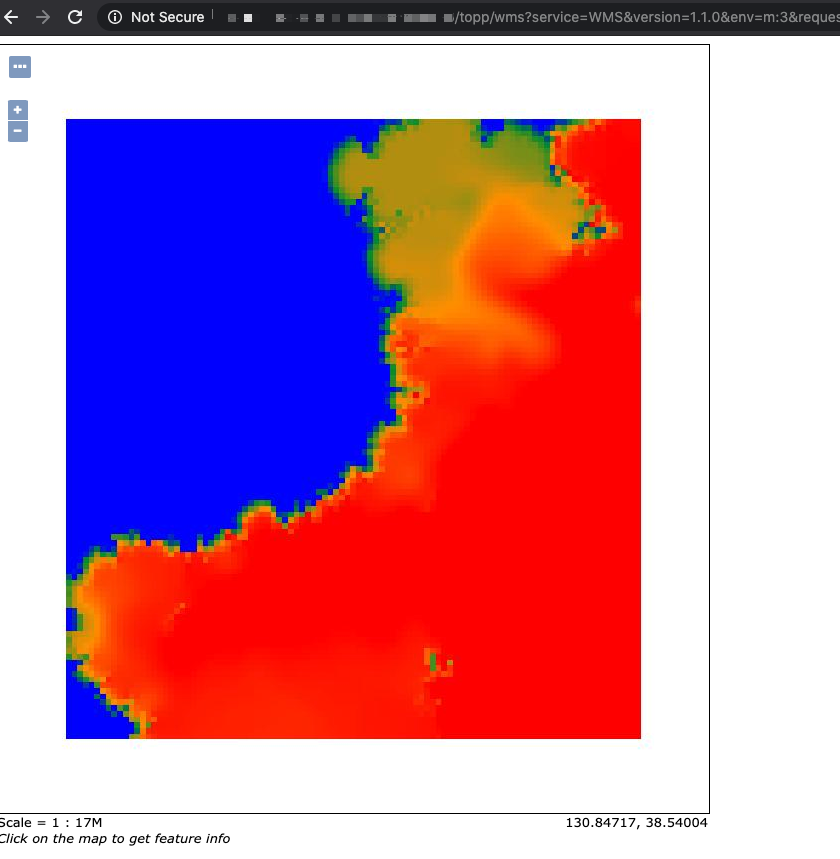
在wms请求中添加&env=m
channel显示。
http://localhost:8083/geoserver/wms?service=WMS&version=1.1.0&request=GetMap&layers=geosolutions:usa&styles=&bbox=-130.85168,20.7052,-62.0054,54.1141&width=768&height=372&srs=EPSG:4326&format=application/openlayers&env=m:2以下是一个完整的样式:
<?xml version="1.0" encoding="UTF-8"?><StyledLayerDescriptor xmlns="http://www.opengis.net/sld" xmlns:ogc="http://www.opengis.net/ogc" xmlns:xlink="http://www.w3.org/1999/xlink" xmlns:xsi="http://www.w3.org/2001/XMLSchema-instance" xsi:schemaLocation="http://www.opengis.net/sldhttp://schemas.opengis.net/sld/1.0.0/StyledLayerDescriptor.xsd" version="1.0.0"> <NamedLayer> <Name>saltsld</Name> <UserStyle> <Title>A raster style</Title> <FeatureTypeStyle> <Rule> <RasterSymbolizer> <Opacity>1.0</Opacity> <ChannelSelection> <GrayChannel> <SourceChannelName><ogc:Function name="env"> <ogc:Literal>m</ogc:Literal> <ogc:Literal>1</ogc:Literal> </ogc:Function></SourceChannelName> </GrayChannel> </ChannelSelection> <ColorMap> <ColorMapEntry color="#0000ff" quantity="28.0"/> <ColorMapEntry color="#009933" quantity="30.0"/> <ColorMapEntry color="#ff9900" quantity="32.0" /> <ColorMapEntry color="#ff0000" quantity="34.0"/> </ColorMap> </RasterSymbolizer> </Rule> </FeatureTypeStyle> </UserStyle> </NamedLayer></StyledLayerDescriptor>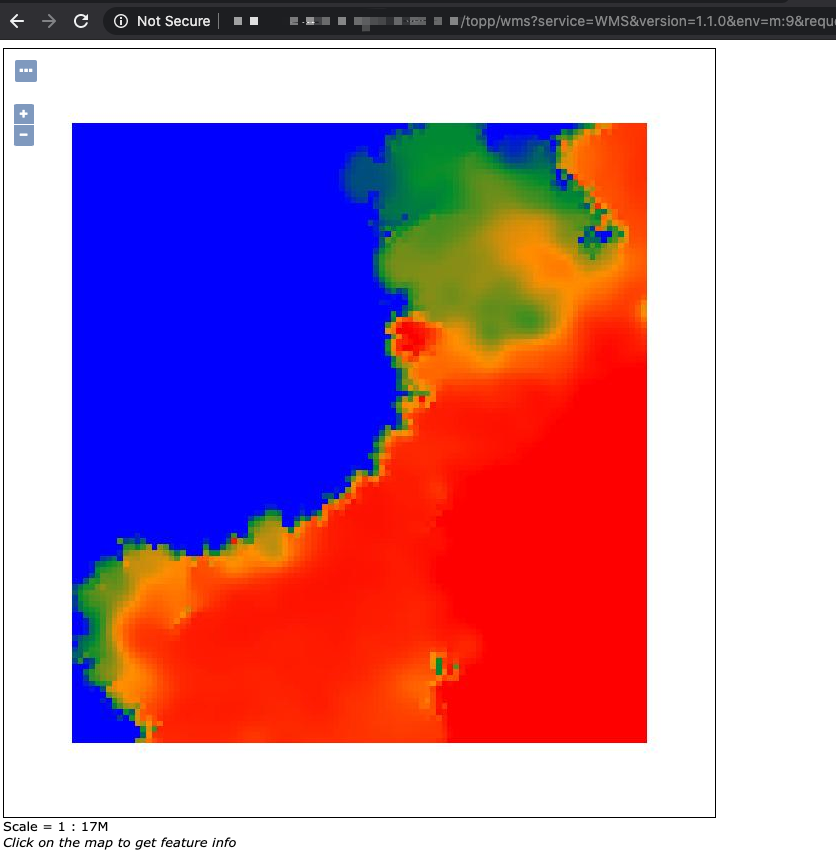
后话
最终因为生产环境版本不容易更新,还是自己复制了12*2个样式。