For the previous story, please refer to “Domain Adventure”.
The domain was expiring, February 4th was approaching, and I started getting more and more emails from GoDaddy. Since I had auto-renewal enabled, I didn’t receive renewal-reminder emails; instead, they were all asking me to update my payment method so that auto-renewal could go through.
Your payment method is missing or about to expire.
Don’t risk losing your domain and any associated website or email services.
If you have a backup payment method set up, your products may be protected. If you don’t have a backup payment method, you can [add a backup payment method now].
On January 9th, I could no longer put it off, so I decided to pay the “protection fee.”
Thanks to the “Domain Adventure” experience, logging in with WeChat was smooth this time.
The interface looked like this:
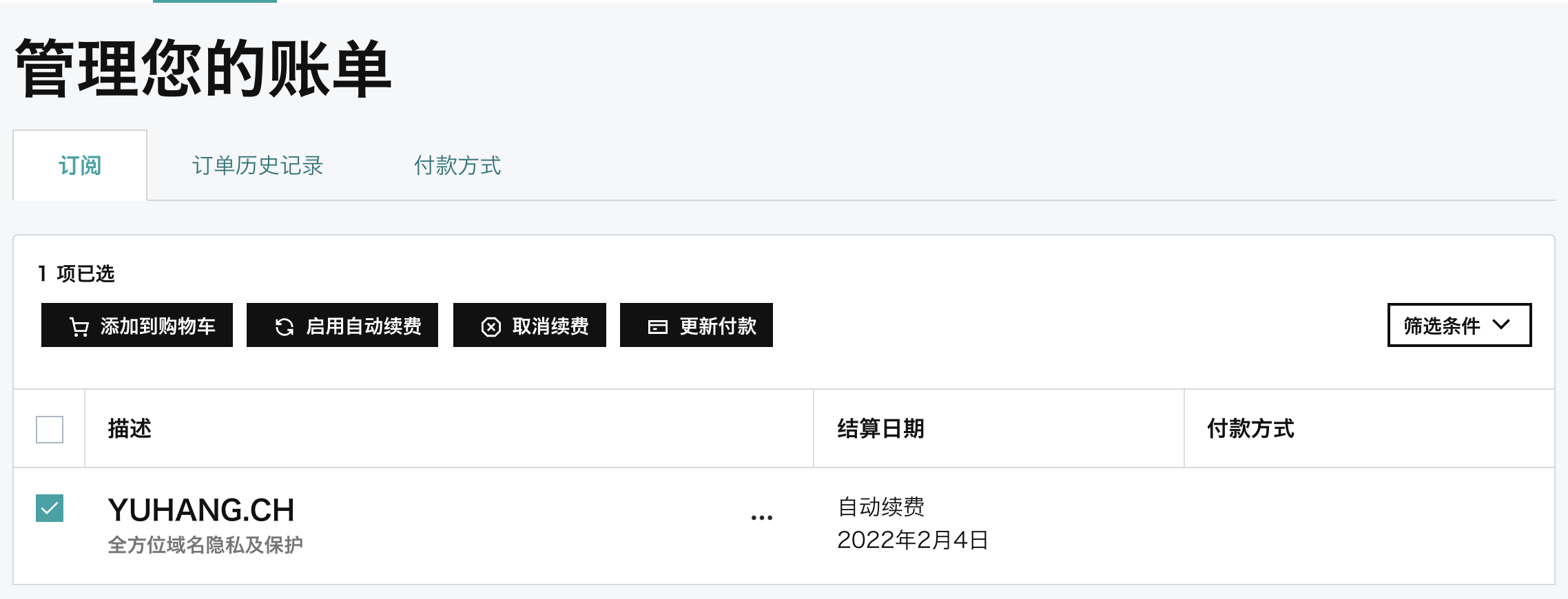
From this we can see the clickable buttons are:
- Enable auto-renew
- Update payment
Clicking [Enable auto-renew] had no visible effect.
Clicking “Update payment” showed:
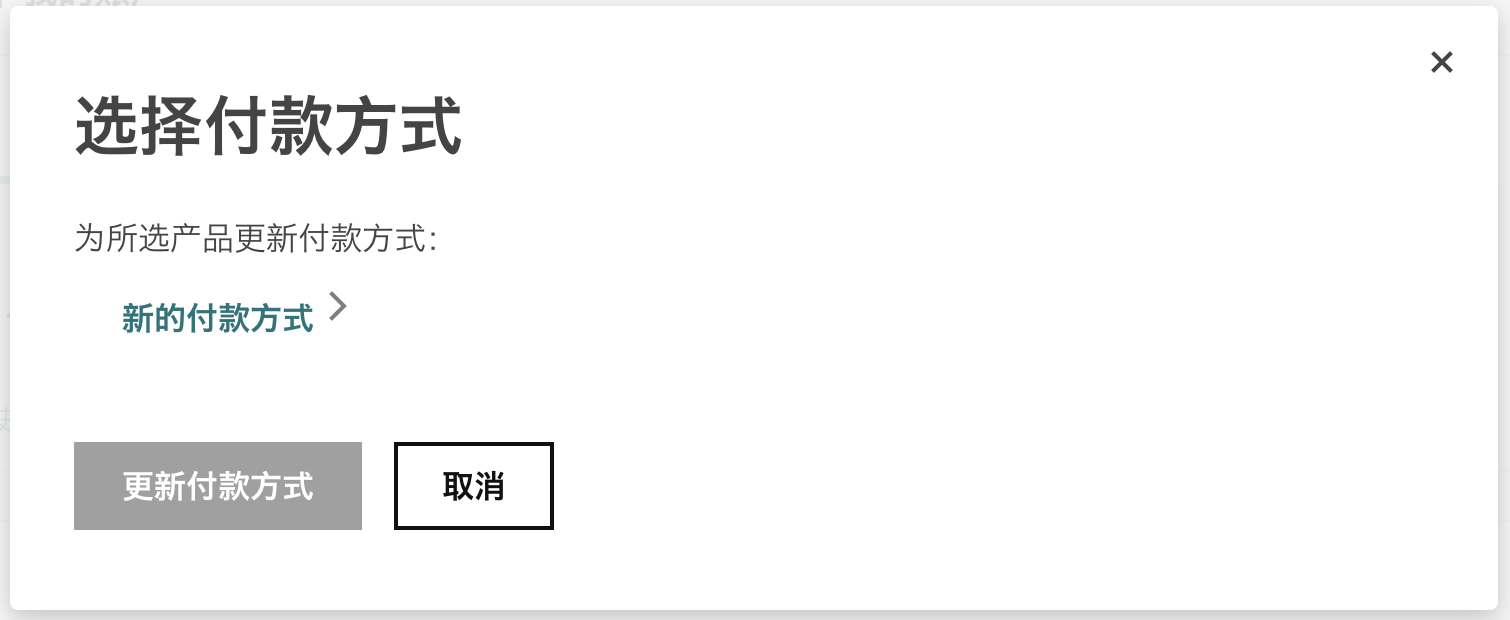
After that, I could only choose a new payment method, and at the final step the only option was to pay with a Visa credit card.
I was really confused at that point, because last year I was able to pay with Alipay for the renewal.
I kept digging around. Under the product list, because auto-renewal was enabled, I couldn’t renew directly.
To cancel auto-renewal, I had to go to the official account → My Renewals → Cancel. After canceling, I was then able to renew directly.