Introduction
The requirement is to work with an ocean-parameter dataset that has 12 channels, each channel corresponding to data for one month. After the layer is published, you can use styles to select the corresponding channel and display the data for a given month. The straightforward way is to copy the style 12 times. For easier maintenance later (which will most likely be done by myself), I wanted to find a method similar to a “dynamic style” that can obtain parameters from outside and use the same style to select different channels via different parameters.
Here I tripped myself up a bit: the GeoServer version in the production environment is quite old, 2.11.x. I was reading the latest documentation; after testing failed, I then checked the 2.11 documentation. Although it contains a similar usage, the channel selection part is not available.
So this method only works on relatively new versions.
Layer publishing
For layer publishing, in theory any multi-channel imagery will work.
Style configuration
A typical channel select in band combination looks like this1:
<ChannelSelection> <RedChannel> <SourceChannelName>1</SourceChannelName> </RedChannel> <GreenChannel> <SourceChannelName>2</SourceChannelName> </GreenChannel> <BlueChannel> <SourceChannelName>3</SourceChannelName> </BlueChannel></ChannelSelection>In the style, channels 1, 2, 3 correspond to (R, G, B).
To display a single channel, use a Function to get an “environment variable” and replace the default value:
<RasterSymbolizer> <Opacity>1.0</se:Opacity> <ChannelSelection> <GrayChannel> <SourceChannelName> <Function name="env"> <ogc:Literal>m</ogc:Literal> <ogc:Literal>1</ogc:Literal> </ogc:Function> </SourceChannelName> </GrayChannel> </ChannelSelection></RasterSymbolizer>Here, the channel name is wrapped in a Function object. When the value of m in env is empty, it provides 1 as the default value; if m is not empty, then the value of m is used as the channel name.
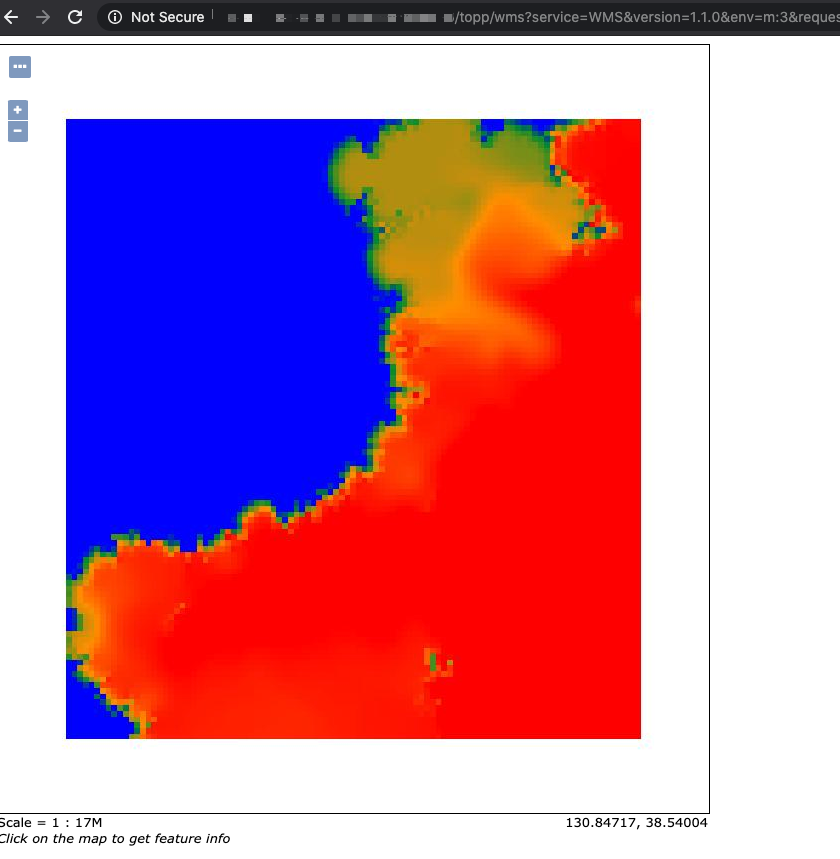
Add &env=m:2 in the wms request to display channel number 2.
http://localhost:8083/geoserver/wms?service=WMS&version=1.1.0&request=GetMap&layers=geosolutions:usa&styles=&bbox=-130.85168,20.7052,-62.0054,54.1141&width=768&height=372&srs=EPSG:4326&format=application/openlayers&env=m:2Below is a complete style:
<?xml version="1.0" encoding="UTF-8"?><StyledLayerDescriptor xmlns="http://www.opengis.net/sld" xmlns:ogc="http://www.opengis.net/ogc" xmlns:xlink="http://www.w3.org/1999/xlink" xmlns:xsi="http://www.w3.org/2001/XMLSchema-instance" xsi:schemaLocation="http://www.opengis.net/sldhttp://schemas.opengis.net/sld/1.0.0/StyledLayerDescriptor.xsd" version="1.0.0"> <NamedLayer> <Name>saltsld</Name> <UserStyle> <Title>A raster style</Title> <FeatureTypeStyle> <Rule> <RasterSymbolizer> <Opacity>1.0</Opacity> <ChannelSelection> <GrayChannel> <SourceChannelName><ogc:Function name="env"> <ogc:Literal>m</ogc:Literal> <ogc:Literal>1</ogc:Literal> </ogc:Function></SourceChannelName> </GrayChannel> </ChannelSelection> <ColorMap> <ColorMapEntry color="#0000ff" quantity="28.0"/> <ColorMapEntry color="#009933" quantity="30.0"/> <ColorMapEntry color="#ff9900" quantity="32.0" /> <ColorMapEntry color="#ff0000" quantity="34.0"/> </ColorMap> </RasterSymbolizer> </Rule> </FeatureTypeStyle> </UserStyle> </NamedLayer></StyledLayerDescriptor>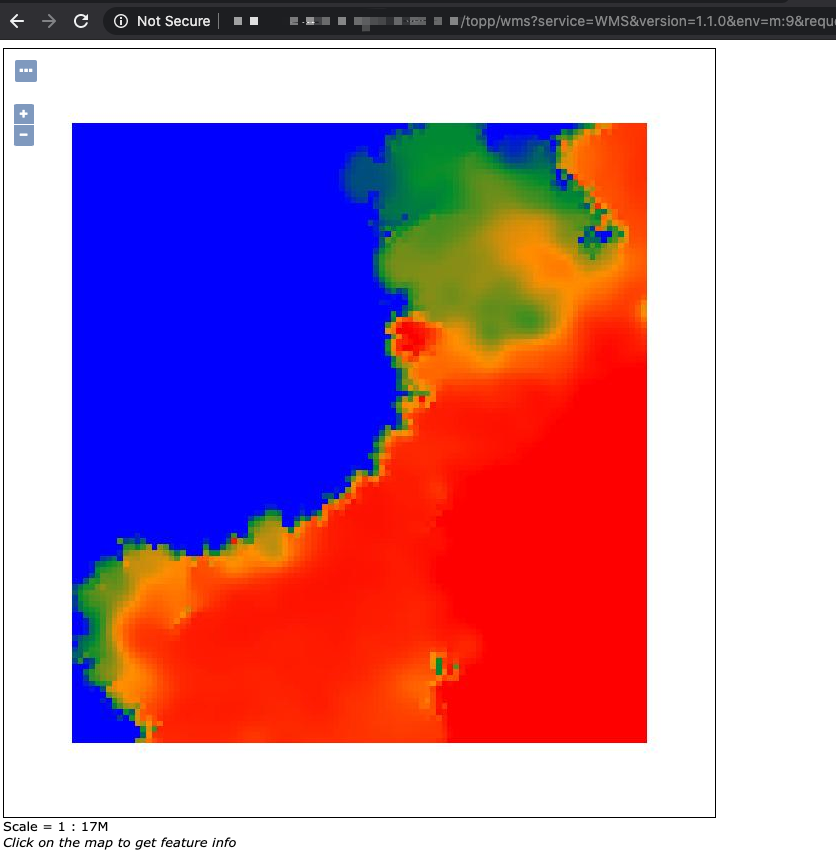
Epilogue
In the end, because it wasn’t easy to upgrade the production environment version, I still ended up manually copying 12×2 styles.